

You can leave a comment on any WordPress.com website where comments are enabled. This guide will show you how to share your thoughts as a comment on a post or page.
In this guide
If a website owner has chosen to allow comments on a post or page, the comment box will typically appear at the bottom of the screen. While this is the most common location, a website owner may have placed it elsewhere on the screen.
A comment form often has the heading “Leave a reply”, “Comments”, “Discussion”, or something similar. Here is an example:
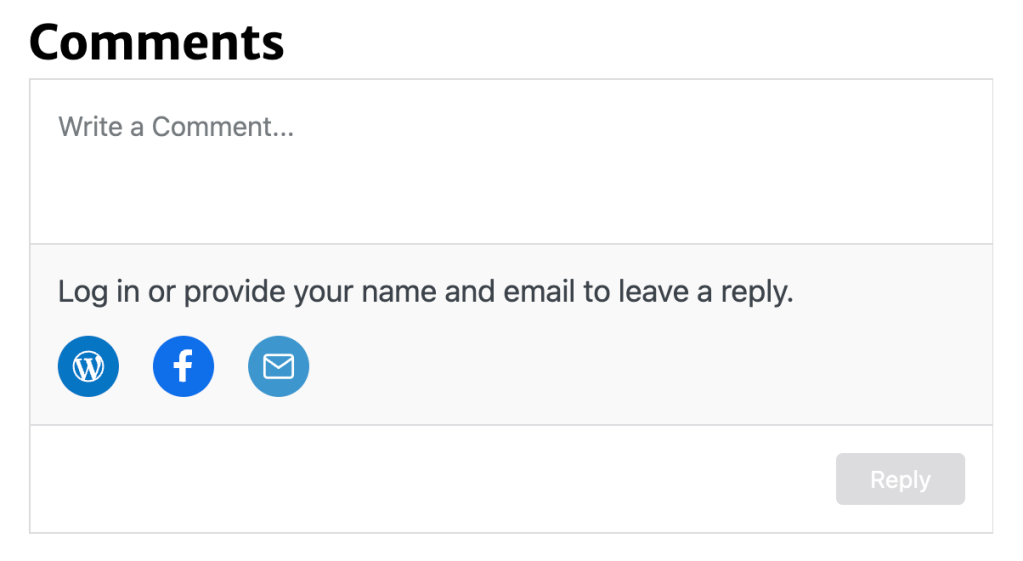
To leave your comment, click on the empty text box and use your keyboard to write your comment.
In your comment, you may also embed content from other platforms, such as a YouTube video, Spotify playlist, and more. To embed content in this way, paste the URL of the content on its own line in your comment.
Once you have finished writing, you will usually need to identify yourself. Depending on the site owner’s discussion settings, you may be able to post your comment anonymously.
Otherwise, you can click on one of the three symbols below the comment text box:
- WordPress.com: Log in with your WordPress.com account details.
- Facebook: Log in via your Facebook account.
- Email: Type your name and a valid email address.
When posting your comment using these options, you can opt-in to receive email updates for:
- New posts from this blog.
- New comments left by others on the post or page you are commenting on.
After submitting your comment, it may appear immediately. However, if the site owner has chosen to approve comments before appearing publicly, you may need to wait for the site owner to review your comment.
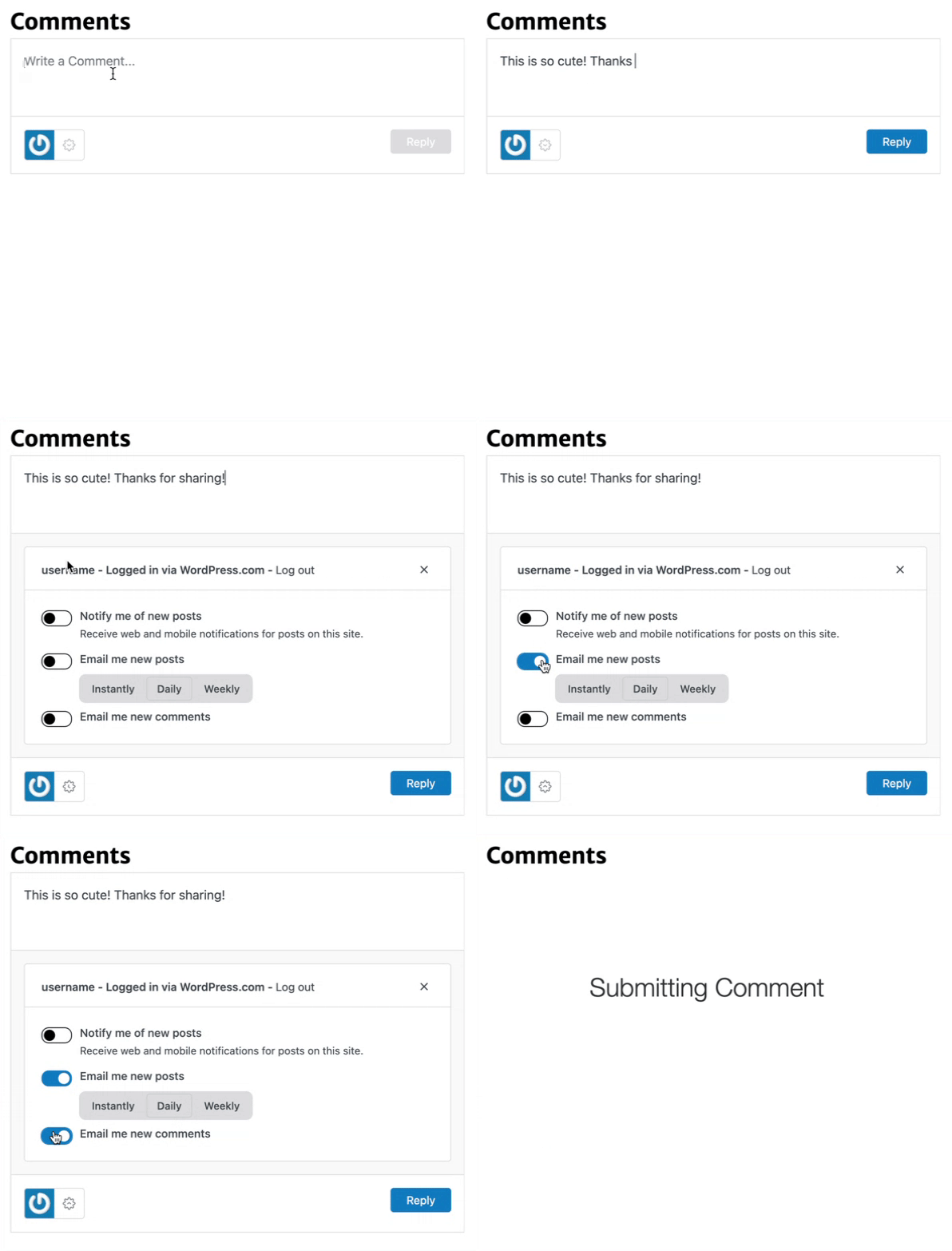
When leaving a comment, you can choose to be notified of new comments left by others on the post or page you are commenting on. Take these steps to follow along with the discussion as it happens:
- In the comment box, click the gear icon next to your profile photo.
- Turn on the toggle labeled “Email me new comments“.
- Click Reply to post your comment.
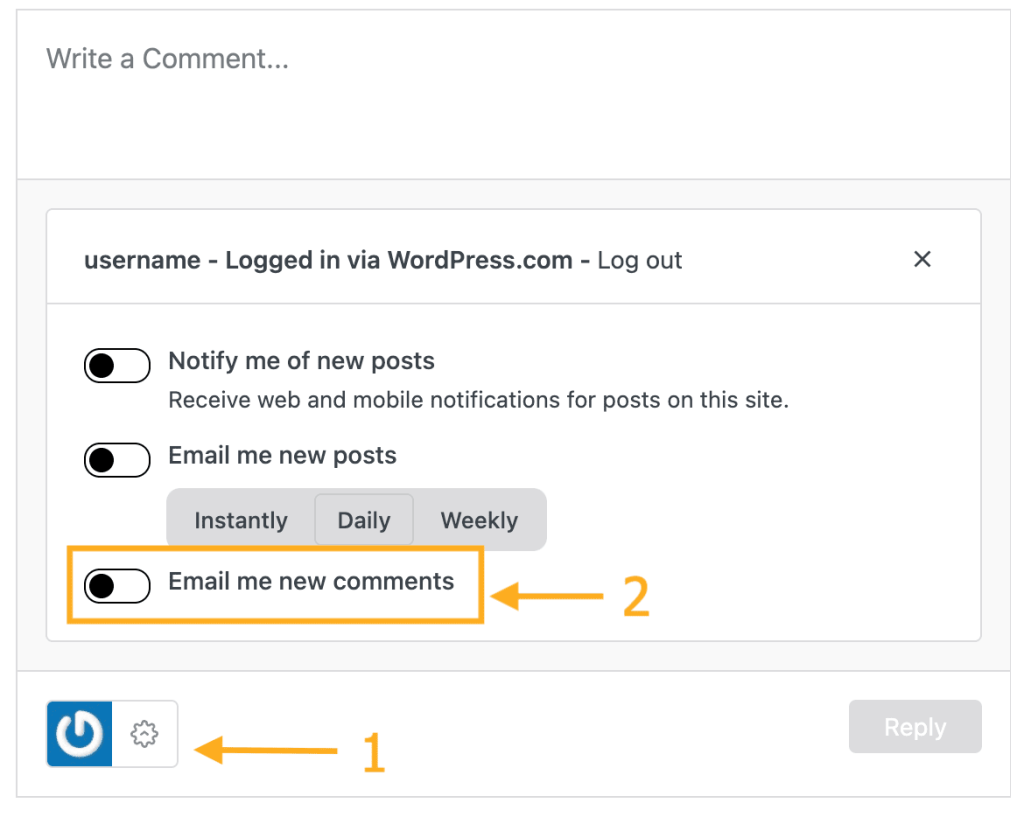
You will receive updates of new comments via email notifications and the Conversations section of Reader.
To stop receiving notifications of new comments on a discussion you’re subscribed to, you can:
- Click the “Unsubscribe” link in the email notification.
- Unsubscribe from the comments in your account’s notification settings.
- Unfollow the conversation in the Conversations section of Reader.
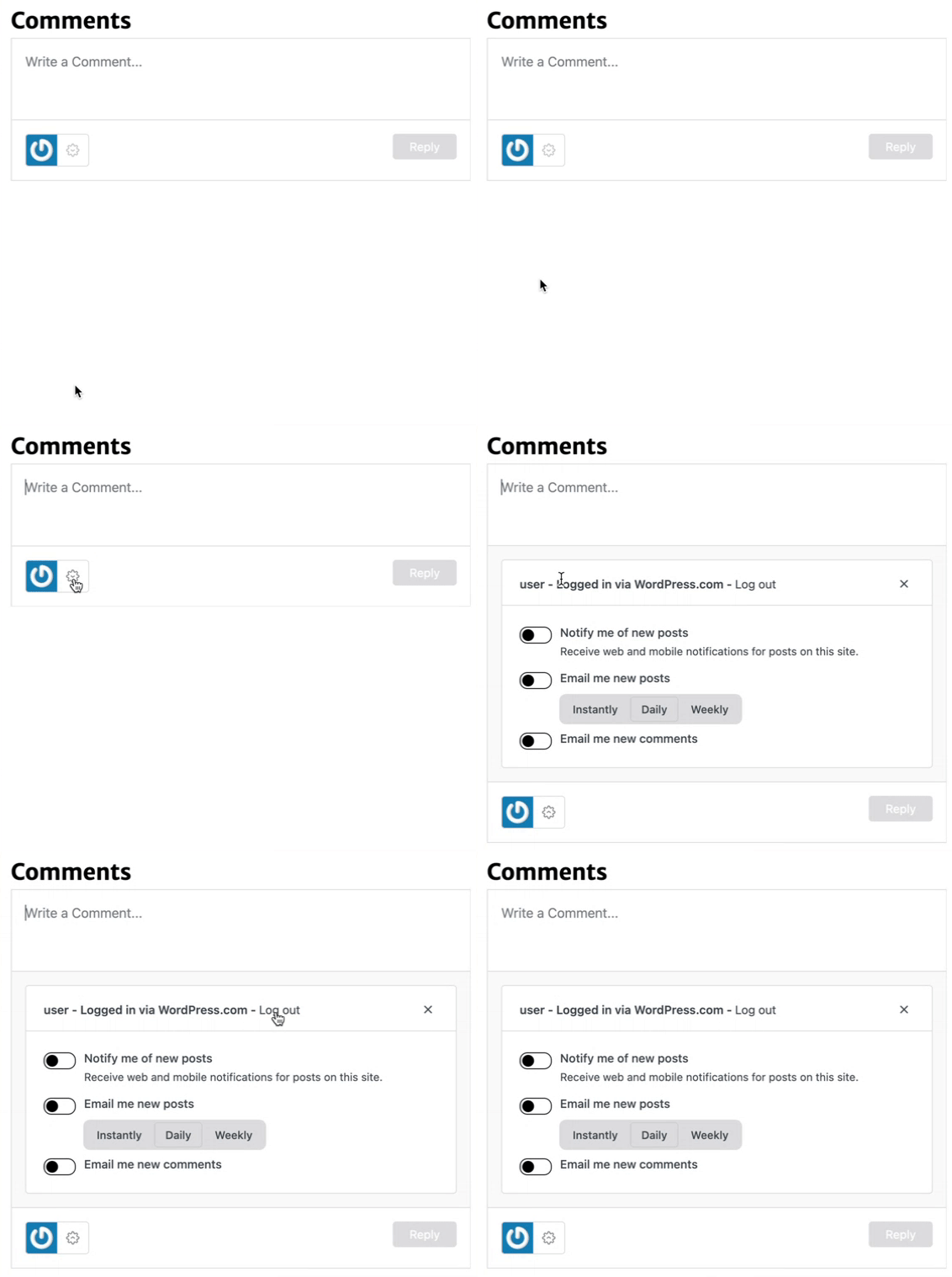
After posting your comment, you may choose to log out of either WordPress.com or Facebook. To log out:
- Revisit the comment box.
- Click the gear ⚙️ icon in the lower right corner next to your profile picture or avatar.
- Click “Log out“.
It is not possible to edit or delete any comments you have left on other WordPress.com blogs.
Blog owners are in full control of the comments on their blogs, so you can try contacting the blog owner and ask them to edit or delete a comment for you. If the blog owner has not posted any contact information, you can try leaving a short comment asking how to contact them directly.
WordPress.com Support will not, under any circumstances, edit the comments on our users’ blogs at your request.


