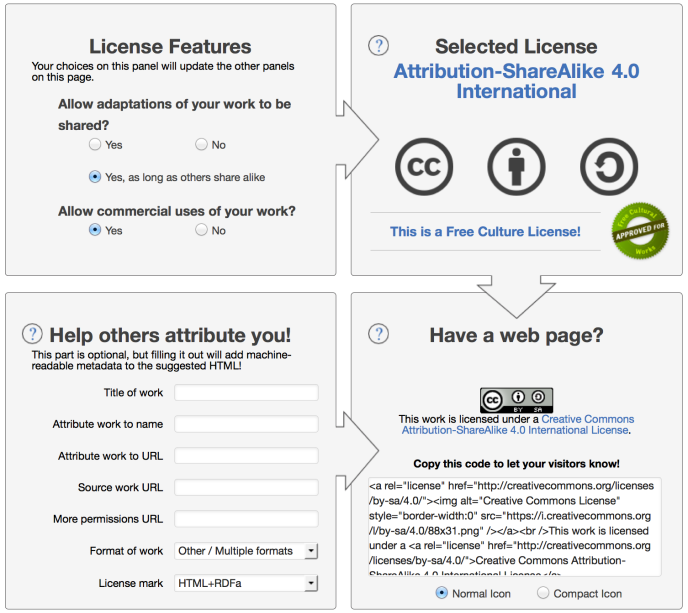
A Creative Commons license allows you to specify to your readers what they can and cannot do with your blog’s content. Should you choose this type of license for the content of your website, you may visit the Choose a License page on the organization’s official website.
- Go to Choose a License on the Creative Commons website.
- Select your desired License Features.
- Verify your Selected License.
- Optional – click the text below Help others attribute you to add metadata to the HTML you receive in the next step.
- Copy the code in the Have a web page? section.
- Visit your WordPress.com website/blog and use a Custom HTML block to add the HTML to your site.