

All domains must have valid contact details. This guide will show you how to verify your domain via email for ICANN, update your domain’s contact details, and keep your details private.
In this guide
ICANN is the organization responsible for domain ownership. As per ICANN policy, all domain owners are required to provide current and valid contact information. In most cases, the contact information you provide as part of the registration process will be used as your administrative, technical, and billing contacts for the domain.
You can choose to use the same email as your WordPress.com account or a different email. However, we do not recommend using an email associated with the domain itself (for example, admin@yourgroovydomain.com as the contact email for yourgroovydomain.com). If the domain stops working, so will the email address and we will not be able to contact you via email to inform you.
The information provided in the registrant contact information is the Registered Name Holder and is considered the owner of the domain. Therefore, we use registrant contact information to settle domain ownership disputes if they arise. Be sure to update the contact information if there are any changes to the ownership of the domain.
To verify your domain via email for ICANN, take the following steps:
- Select your domain from the Domains section of your account.
- Click the “Contact information” section of your domain’s settings.
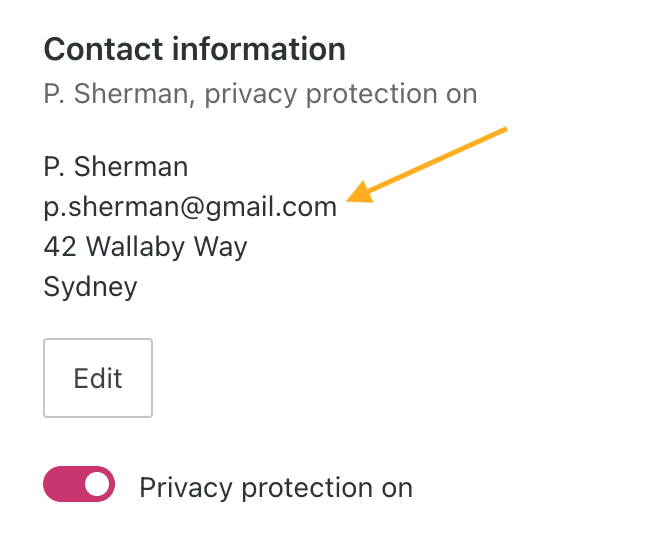
- View the email address you provided with your domain, which may be different to the email you normally use:
- Visit the inbox for that email address and check for an email sent at the time you registered the domain.
- Click the link in the email to verify the email for your domain.
Failure to verify the domain within 14 days will suspend the domain until you verify the domain, cancel it, or allow it to expire.
You may also find the following error message in your dashboard:
You must respond to the ICANN email to verify your domain email address or your domain will stop working. Please check your inbox and respond to the email.
If you have not received the ICANN verification email, try the following:
- Make sure you are checking the correct email address (which may be different from your WordPress.com account email).
- Double-check there isn’t a typo in the email address.
- Search your inbox and junk/spam folder for the domain name and/or the word “verification”.
- Wait up to 30 minutes for the domain verification email to arrive.
You can update the contact details for your domain by taking the following steps:
- Visit your site’s dashboard.
- Navigate to Upgrades → Domains (or Hosting → Domains if using WP-Admin).
- Click on your domain. You will then find a summary of your domain details like this:
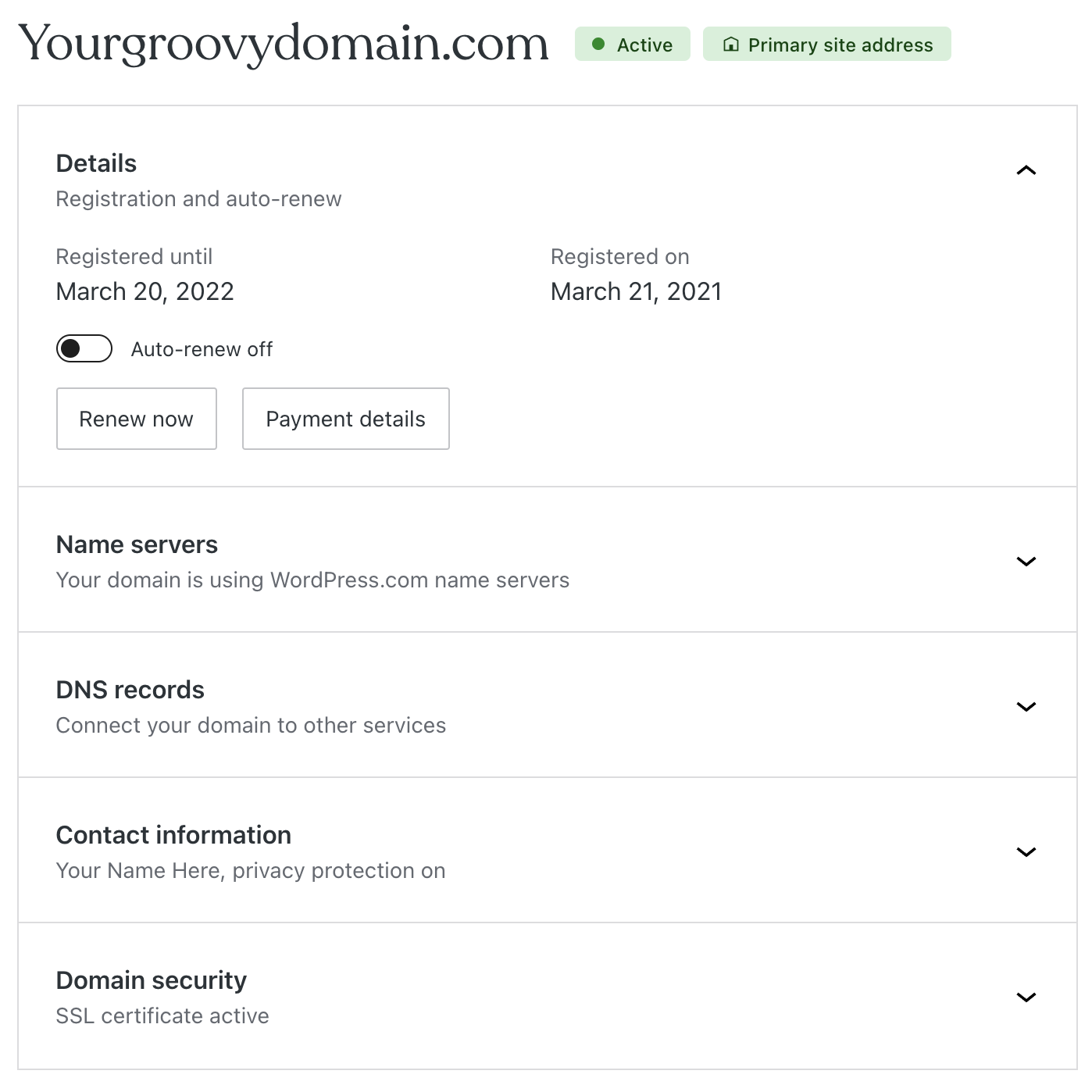
- Click on the “Contact information” section.
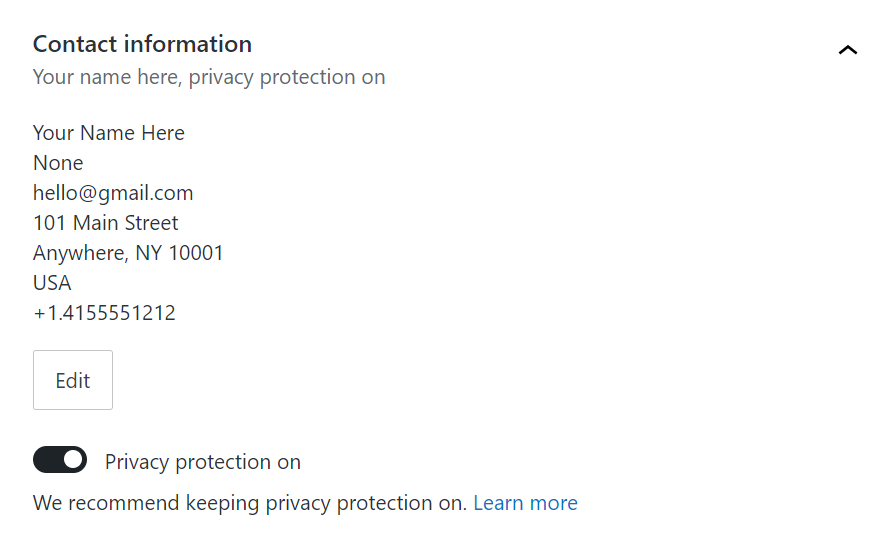
- Click on the “Edit” button:
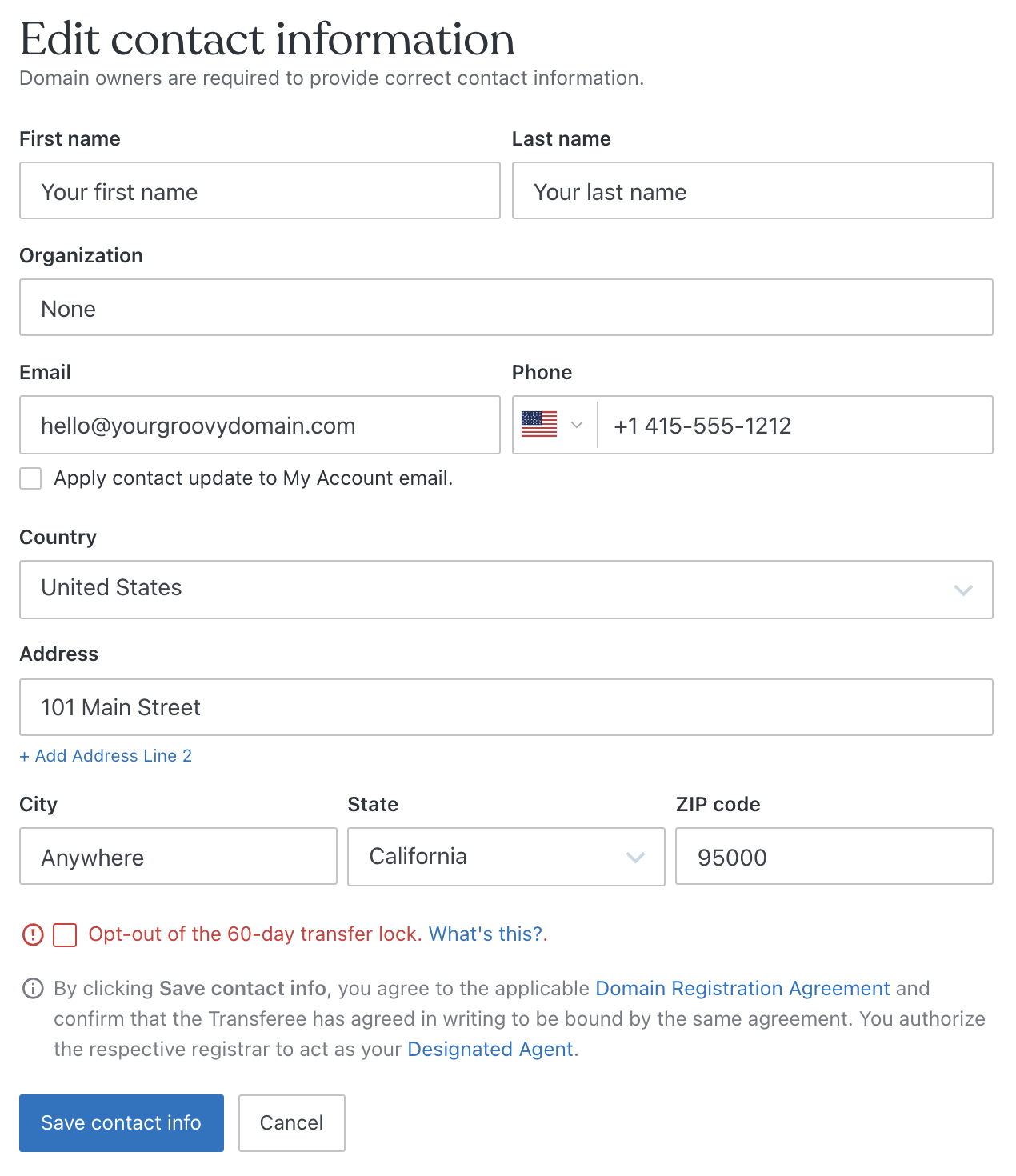
- Type in your current details and click the “Save contact info” button to commit the change:
Under ICANN policy, any change in the following details counts as a change in domain ownership:
- First name
- Last name
- Organization name
- Email address
That means these changes must be confirmed via email before taking effect. Depending on when you registered your domain and the type of domain you registered, this process will happen in one of two ways:
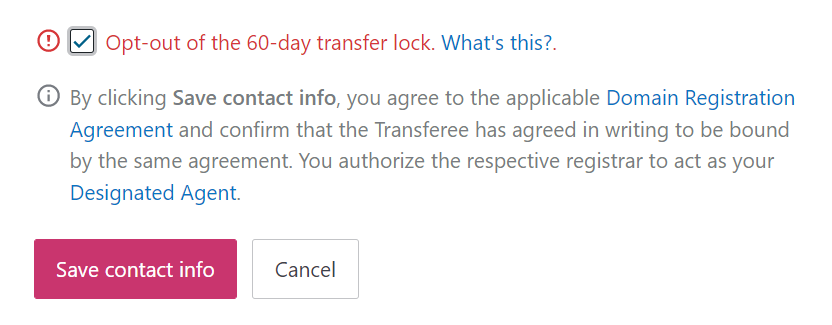
- Option 1: In most cases, we are able to verify the change on your behalf. When you update your contact information, you’ll see a notice at the bottom that you authorize us to act as your Designated Agent and a checkbox to opt out of a 60-day transfer lock (if you do not see these options, please follow the steps below for Option 2.) Afterward, you will receive an email confirming the change. If you receive a separate email from
domains-help@wordpress.com. asking you to verify your domain again, please do so. - Option 2: For older domains registered on WordPress.com, you must confirm the change to the domain’s contact information via an email sent to both the old and the new email addresses. These emails will be sent from
sales@secureserver.netand will contain a link that must be clicked to confirm the change. The option to opt out of the 60-day transfer lock will be on the confirmation for the old address only — this opt-out link is not sent to the new email address. If you no longer have access to the old email address, or you try to change it and the confirmation emails don’t arrive, please contact us so we can help.
An email with a link is sent to verify your contact information. ICANN suspends the domain name if you do not click the email link within 14 days. Make sure you check the email (including spam folders) you set up as your domain contact information email address.
Once the contact information is verified, a suspended domain name will come back online within 30 minutes.
Under ICANN’s Inter-Registrant Transfer (Change of Registrant) Policy, most updates to your first name, last name, organization, or email address will be considered a change of registrant and kick off the change of registrant process, even if you’re not actually transferring the domain to someone else. By authorizing your respective registrar (either Automattic or Tucows Domains Inc.) as your Designated Agent, you can change your domain contact information or transfer ownership of your domain immediately without dealing with a slew of notification and confirmation emails.
If your domain is eligible for this Designated Agent status, the following notice will appear before the “Save contact info” button when changing your contact details:
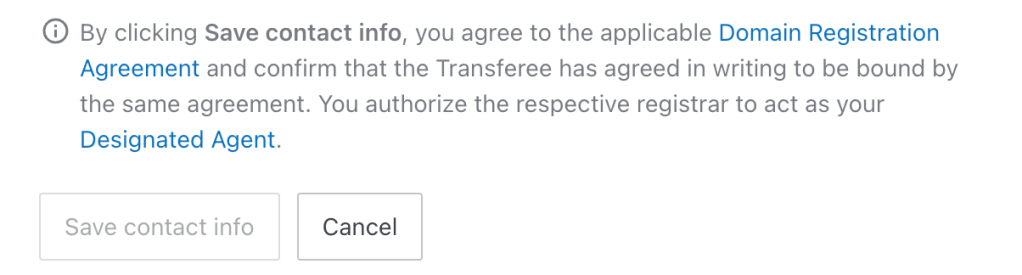
Rest assured, we won’t use this Designated Agent status to take any other action on your domain. This authorization is only to streamline the process of updating your information. If you’re not comfortable with authorizing your registrar to act as your Designated Agent, please transfer your domain to another registrar.
Changing the first name, last name, email address, or organization name will also apply a 60-day transfer lock to the domain. During this time, you cannot transfer your domain to another registrar, but the domain will continue to work as usual.
Unless you plan on transferring your domain during the next 60 days, you do not need to opt out of the 60-day transfer lock.
For most domains, you can avoid the transfer lock by ticking the box that says “Opt-out of the 60-day transfer lock” while updating your domain contact information. Older domains can opt out of the transfer lock via a confirmation email as explained in Option 2 in the previous section.
Private domain registration is enabled by default on WordPress.com. While some domain registrars charge extra to keep your contact information private, we include it as standard on WordPress.com.
Learn more about privacy protection for your domain.


