

Get instant updates from WordPress.com blogs
Jabber (XMPP) is an open instant messaging protocol used by millions of people daily. At WordPress.com we use Jabber to instantly deliver new blog posts and comments to subscribers.
It’s currently free to use our Jabber blog subscription service.
Connect to im.wordpress.com
You need a WordPress.com account and a Jabber client. You will set up your client with these connection details:
- Jabber ID
name@im.wordpress.com
This is your WordPress.com user name followed by “@im.wordpress.com”. (This looks like an email address but it’s not for email.) - Password
The Jabber service uses the same password as your WordPress.com account.
Note: Make sure to generate an Application Specific Password if you have Two Step Authentication enabled. - Jabber Server/Host
im.wordpress.com
Some clients ask for this; most will figure it out from the Jabber ID. - Port
5222
This is the usual port for Jabber services. You shouldn’t have to enter this.
Some clients have additional connection parameters. If you need help with a specific client, contact Support. We can’t be responsible for any third-party software but we’ll do our best.
Get subscriptions delivered to Jabber
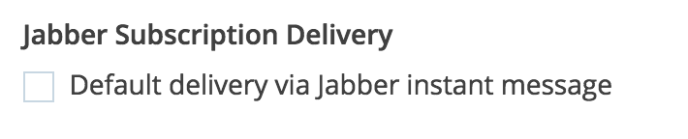
After you setup your Jabber client, you’ll need to go to the Subscription Settings page and set which blogs you’d like to have delivered through Jabber. You can also set Jabber as your default delivery option from your Notification Settings.
Befriend the robot
Our friendly chat robot will help you manage your subscriptions. Add bot@im.wordpress.com to your buddy list, then open a chat window and say “howdy”.
Here are the commands the bot understands:
- subscribe (shorthand: sub)
sub en.blog.wordpress.com
This command subscribes you to posts and comments on en.blog.wordpress.com, our blog.
sub en.blog.wordpress.com/posts
This command subscribes you to posts only.
sub en.blog.wordpress.com/comments
This command subscribes to comments only.
sub @mentions
This command subscribes you to @mentions of your WordPress.com username. - unsubscribe (shorthand: unsub)
unsub en.blog.wordpress.com
This command works the same way as subscribe. - subscriptions (shorthand: subs)
subs
The bot will reply with a list of your subscriptions. - stop / start
Use “stop” to temporarily suspend all subscriptions without unsubscribing. Notifications will be discarded until you use “start”.


