

Microsoft Word is a fine word processor for producing documents to be shared or printed, with a wealth of print-based options for indexing, and producing table of contents. As a web publishing tool, however, it is a little less than ideal and produces very messy HTML. The same applies when using Google Docs, OpenOffice, or other word processors.
Because of this, we strongly encourage our users to use the WordPress editor to create content and formatting on the fly. If you desire to do offline blog post creation, you might try software such as the Jetpack mobile apps. However, you can post from Microsoft Word if you want to.
In this guide
If you do need to paste content from Microsoft Word, you can do so by selecting your content in your MS Word document and pasting it directly into the editor in WordPress.com. Not all formatting will carry over cleanly, so you may need to tweak some settings.
Not all formatting created in a word processor will be reproduced when pasting into WordPress.com’s editor. We’ve found that using Chrome as your browser is the best way to ensure the majority of your formatting transfers over.
Tables created in MS Word should still paste as tables, but borders may not transfer over. If you need a traditional table, we suggest using a table block.
Footnotes and other specialized formatting may paste in, but in some cases, that formatting will be lost.
If your MS Word document has heavy formatting and doesn’t paste cleanly, you can try pasting it in as Plain Text inside of a classic block.
Inside the classic block, click on the Paste as text icon:
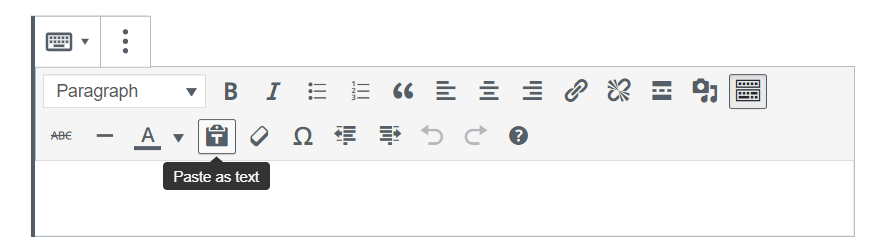
Your editor will then be in “plain text mode” so you can paste in your text from Word or another word processor. You will see the following window pop up telling you that you are in this mode until you click on the button again to turn it off:
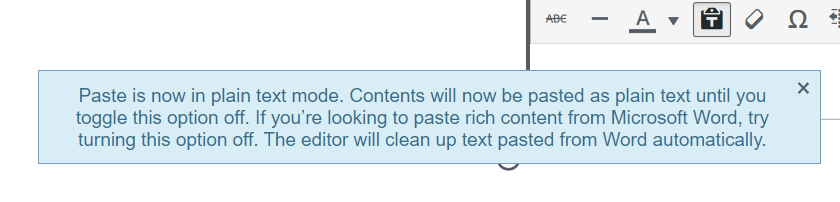
Once you’ve enabled the Plain Text option once for a post or page, subsequent clicks on the button will turn it on (evidenced by a box around the button) or off (no box around the button). You will not see the pop up window again unless you reload the page or go to a new post/page, but the toggle option still works.
Below is how the Toolbar looks in “Plain Text off” mode. Note that the icon is grey and there’s no box around it:

Below is how the Toolbar looks in “Plain Text on” mode. Notice the icon is now black and there’s a box around it:
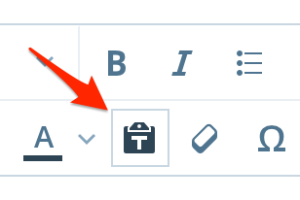
When you use Plain Text mode to insert text, note that all your formatting (such as bold, italic, etc.) will be removed, so any styles will need to be added in afterward.
You will have to upload any images that were in your MS Word document to your blog before you can use them. See the Images page for more information about this.
Note: The instructions from this guide are referring to the Classic Editor. If you are using the WordPress block editor, please see this guide on the WordPress block editor.
If you are using the classic editor, you will also be able to find the Plain Text option. Make sure to click the Toolbar Toogle icon to enable the second row as in the screenshot below.

To post to your WordPress.com site from Microsoft Word, please check Word’s instructions for posting.
To register for your Blog Account with Word, choose WordPress.com. When connecting, you would use the same username and password that you use to login to WordPress.com.
Microsoft Word may ask for something like an XML-RPC endpoint, which will be your site domain followed by “xmlrpc.php". So, for example, if your site is at matt.wordpress.com, your endpoint would be:
https://matt.wordpress.com/xmlrpc.php
Make sure to use HTTPS in your address, and not HTTP.


