

Use the Embed block to display content from third-party online services on your website. This guide lists all supported platforms you can embed.
In this guide
Add the Embed block to a page by clicking on the + block inserter and searching for “embed”. Alternatively, type /embed on a new line and press enter:

For more information, visit our detailed instructions on adding blocks.
When you first add the Embed block, you will be presented with an empty text box:
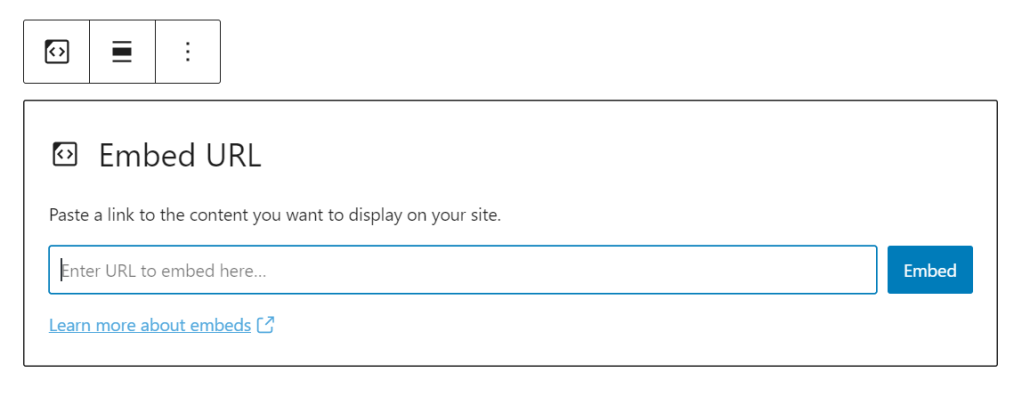
To embed content from another site, follow these steps:
- Obtain the URL (i.e., the link) for the content you wish to embed from any supported services.
- Paste the URL into the text box of the Embed block.
- Click the Embed button. It will automatically convert itself into the appropriate embed when viewing the page.

You can embed content from the following services:
- Animoto
- CloudUp
- DailyMotion
- Educreations
- Flickr
- Instagram videos
- Kickstarter videos (paste the full project URL)
- Loom
- Screencast
- SproutVideo
- TED Talks
- TikTok
- VideoPress
- Vimeo
- Wistia
- WordPress.tv
- YouTube
- Audiomack
- Mixcloud Music
- Pocket Casts
- RadioPublic
- ReverbNation Music
- SoundCloud Music
- Spotify Music
- CloudUp
- Facebook photos
- Flickr
- Giphy Animated GIFs
- Houzz photos
- Imgur
- Instagram images
- Photobucket
- SmugMug
- Amazon Kindle instant previews
- CodePen
- Crowdsignal Polls & Surveys
- Descript
- Facebook posts, activities, questions, and notes
- Gist
- Issuu Documents
- Pinterest pins, boards, and profiles
- Reddit Posts & Comments
- Scribd documents
- Sketchfab
- SlideShare Presentation slideshows
- SmartFrame
- Speaker Deck Presentation slideshows
- Tumblr
- X (formerly known as Twitter) posts, threads, and lists
- Wolfram
- WordPress posts
- WordPress plugin directory plugins
Is there a service that is not supported that you would like to see on this list? Contact us to let us know!
After you first install a plugin or custom theme on a plugin-enabled site, you can add any code you want on your site, including inline frames (iframes) and JavaScript. You can also enable the use of these codes on plugin-enabled sites after activating hosting access.
Many online services will provide an iframe or script code as an embed option. In many cases, you’ll want to embed these codes onto your website using the Custom HTML block.
On sites without plugins, iframe and script codes are not supported. You can use a plain text link in the Embed block from many supported platforms.
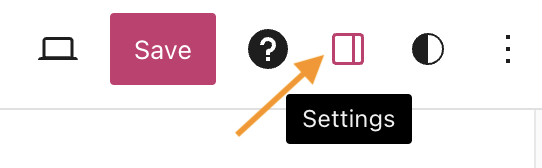
When you select a block, you will find additional block settings in the right sidebar. If you do not see the sidebar, you may need to click the Settings icon in the top-right corner to bring up the settings. This icon looks like a square with two uneven columns:
Many embeds include an option to resize the content for smaller devices.
This will preserve the embedded content’s aspect ratio when resizing the browser.

Depending on the embedded content, you may also find:


