

A shortcode is a WordPress-specific code that can embed files or create objects that would normally require lots of complicated code. This guide will show you how to add a shortcode in the WordPress editor.
In this guide
You can add a shortcode to any page or post by first inserting the Shortcode block.
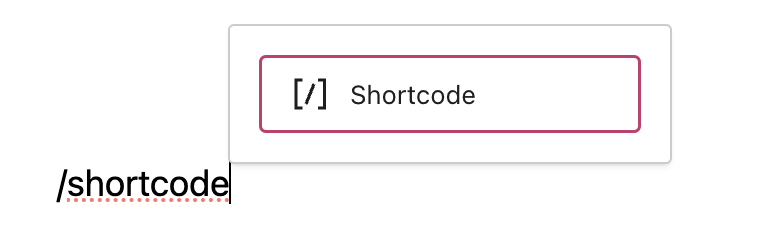
To add the Shortcode block, click on the + Block Inserter icon and search for “shortcode”. Click to add the block to a page, post, or template.
Or type /shortcode and press enter:
For more information, visit our detailed instructions on adding blocks.
When you first add the Shortcode block to your post or page, it will appear with an empty box to type or paste a shortcode:
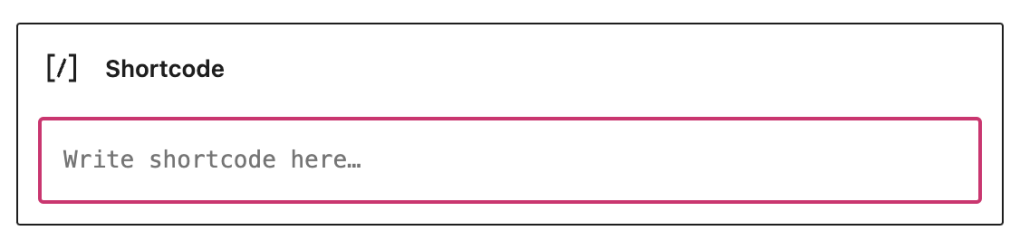
Type your shortcode into the box provided or paste it from the available shortcodes. Every shortcode is wrapped in two square brackets [ ].
In this example, the shortcode is added in the box to display posts by date.
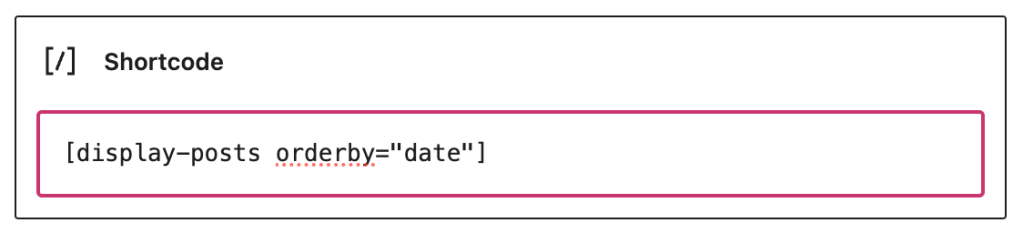
In edit mode, the shortcode will be shown. When you preview or view the page publicly, the intended content will show instead.
Below you’ll find a list of all the shortcodes available on your WordPress.com site. In addition, many third-party plugins use shortcodes too – consult your plugin’s documentation to learn about that plugin’s shortcodes.
[archiveorg]embeds a video from The Internet Archive. » Full instructions[dailymotion]embeds a DailyMotion video.- Example:
[dailymotion id=xxxxxx]
- Example:
[flickr]embeds a Flickr video. » Full instructions[kickstarter]embeds a Kickstarter video.- Example:
[kickstarter url=https://www.kickstarter.com/projects/username/project-url]
- Example:
[playlist]displays a playlist for uploaded video files.» Full instructions[twitchtv]embeds a Twitch.tv stream. » Full instructions[vimeo]embeds a Vimeo video. » Full instructions[wpvideo]embeds a VideoPress video. » Full instructions[youtube]embeds a YouTube video. » Full instructions
[audio]displays uploaded audio file as an audio player.[bandcamp]embeds music from Bandcamp. » Full instructions[playlist]displays a playlist for uploaded audio files.» Full instructions[soundcloud]embeds audio from SoundCloud. » Full instructions[spotify]embeds music from Spotify. » Full instructions[8tracks]embeds music from 8tracks.- Example:
[8tracks url="http://8tracks.com/smurph/hipster-swag"]
- Example:
[googleapps]embeds Google Docs spreadsheets, documents, forms, and presentations.[instagram]embeds an image from Instagram.[presentation]embeds a slideshow presentation. » Full instructions[scribd]embeds a document/file from Scribd.- Example:
[scribd id=123456789 key=key-xxx111XXXxxx mode=scroll]
- Example:
- [vr] embeds 360° photos and panoramas for use with VR headsets. » Full instructions
Useful shortcodes for adding a blog archive index, contact form, polls, and more.
[beermenus]embeds a menu from BeerMenus.- Example:
[beermenus place_id=1234]
- Example:
[blog_subscription_form]embeds a subscription form allowing people to sign up for email updates » Full instructions[code]or[sourcecode]preserves the formatting of source code. » Full instructions[contact-form]adds a contact form to your page.[display-posts]lets you list posts of a specific category, author, or tag » Full instructions[gist]embeds GitHub Gist code snippets.[gravatar]shows a Gravatar image from an email address. » Full instructions[list-pages]lets you list pages, sibling pages, and child pages. » Full instructions[portfolio]embeds Portfolio projects. » Full instructions[testimonials]embeds Testimonials. » Full instructions[recipe]formats a recipe with basic metadata and an option to print. » Full instructions[rss]embeds RSS feed from a specified URL, e.g. a news feed. » Full instructions[sitemap]generates a sitemap of your site’s pages » Full instructions[tlkio]adds a Tlk.io channel to your post or page. » Full instructions[[twitter]]embeds a post from X (formerly known as Twitter.)[twitter-timeline]embed an X (formerly known as Twitter) timeline. » Full instructions[upcomingevents]displays an iCalendar Feed URL in a list. » Full instructions[wufoo]embeds a Wufoo form. » Full instructions


