

Use a Site Redirect to send traffic from a .wordpress.com site address (and all your permalinks) to another site elsewhere. In this guide you’ll learn when to use a site redirect and when to use a different option.
For example, you cannot add a redirect to use the www version of your domain. Or, if you want to set up a site redirect on a custom domain or subdomain, you want to Forward a Domain.
Use a site redirect only when you are leaving WordPress.com and wish to send traffic from a .wordpress.com site address to another site elsewhere.
You cannot add a redirect to use the www version of your domain.
Before setting up a site redirect, confirm this is the appropriate action for what you are trying to accomplish. For example:
- If you want to set up a redirect from a custom domain or subdomain on WordPress.com to a another site or address, use the option to forward a domain instead.
- If you are not leaving WordPress.com, and you wish to redirect your .wordpress.com subdomain address to your site’s domain, you do not need a site redirect. Instead, set your primary site address in your domain’s settings.
- If you wish to redirect a domain you own to WordPress.com, do not use a site redirect. Connect or transfer the domain to WordPress.com instead.
- If you wish to redirect a domain in your WordPress.com account to another site on WordPress.com, do not use a site redirect. Instead, move the domain.
- If you wish to redirect a domain in your WordPress.com account to another site elsewhere, do not use a site redirect. Instead, change the name servers or DNS records.
If you have determined that you need a site redirect, follow these steps to set it up:
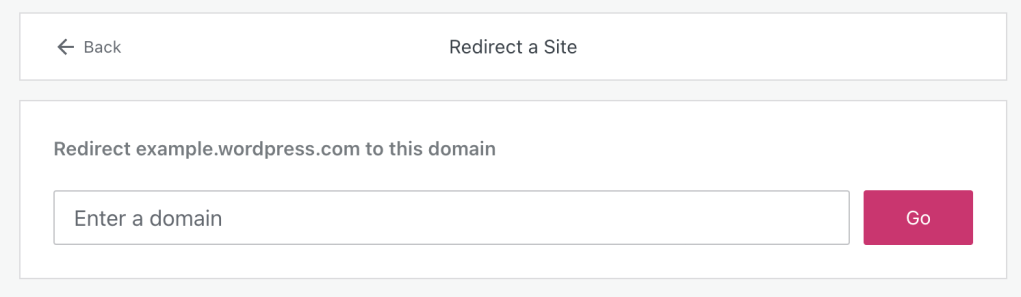
- Open the site redirect screen here.
- Enter the domain or URL address where you want your WordPress.com traffic to be redirected.
- Click the “Go” button.
- Confirm your purchase and complete the checkout process.
- Select the Site Redirect as the primary address by going to Upgrades → Domains (or Hosting → Domains if using WP-Admin), clicking the … next to the domain, and selecting the “make primary site address” option.
Site redirects can only point to a non-SSL (http://) URL. If you have SSL set up on the site you’re redirecting to, the http-to-https redirect will be handled on that site’s end.
For the site redirect to work correctly on pages besides the homepage, the permalinks on the site you’re redirecting to should match those at WordPress.com. WordPress.com uses the following post permalink structure: http://example.com/2014/10/21/sample-post/. Visitors may see an error message if the destination site does not use the same structure.
Site redirects can be used with domain names or directory paths but not individual files or pages. For example:
OK: https://yourdomain.com/support
Not OK: https://yourdomain.com/support.html
If you want to turn off the redirect for a while but don’t want to delete it, make your default WordPress.com address your site’s primary address instead of the redirect.
You can turn on the redirect anytime by returning to this screen and setting the site redirect URL as the primary address again.
To delete a redirect:
- Visit your site’s dashboard.
- Navigate to Upgrades → Domains (or Hosting → Domains if using WP-Admin).
- Click on the site redirect.
- Select the “Delete” option.
You can also remove the site redirect from the Purchases screen.


