

Page jumping, also referred to as anchor links or jump links, is where you click a link and instantly get moved somewhere further up or down a long page. The Table of Contents to the right is an example of page jumps.
In this guide
A page jump is a great way to link to a section of a page. Your site visitors can click to go from one part of a long page to another part of that same page.
For example, let’s say you have a list of section names at the top of a page. You can link each name to the relevant section further down the page so that visitors can jump to a section about the particular information they are interested in. You can then link readers directly back to the original list of all sections at the beginning of the page.
💡
You can also use the Table of Contents block to automatically create page jumps from all the headings in your post/page, and a Footnotes block to automatically format footnotes in your text.
The first step is to select the section you want your readers to arrive at when they click the page jump. To do this, we can create what is known as an “anchor” on the block you want to jump to.
- Click on the block you want to add the anchor to. Many common blocks support anchors, including Paragraph, Heading, Image, Columns, and Buttons.
- View the block’s settings in the right sidebar. If you do not see the sidebar on the right, click the Settings icon in the top right corner to bring up the settings. This icon looks like a square with two uneven columns:

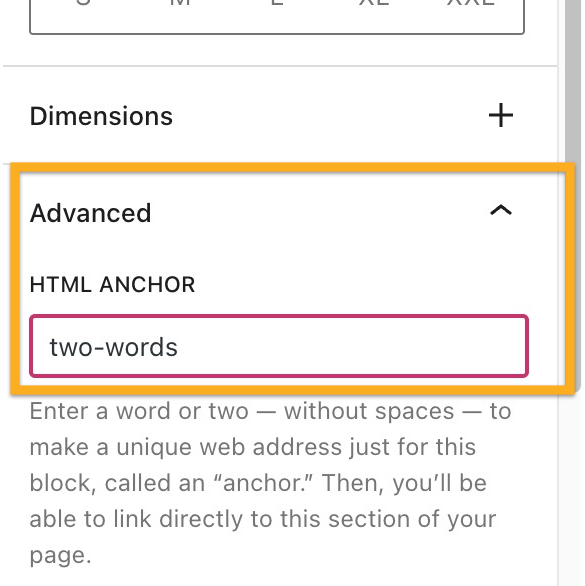
- At the bottom of the block settings, click on Advanced.
- Type a word in the HTML Anchor box. This will become your anchor. Be sure to use a unique word that isn’t already being used as an anchor somewhere else on the page. If you want to use more than one word, it will automatically insert a hyphen (-) between the words, like this:
two-words:
Next, we’re going to create the page jump link itself. Your visitors will click on this to arrive at the section you created in step 1.
- Type some text, or add an image, button, or navigation menu item for your readers to click.
- Select the text/image/button/menu item and click the link option in the block’s toolbar. The link option is an icon that looks like the actual link of a chain, as highlighted here:
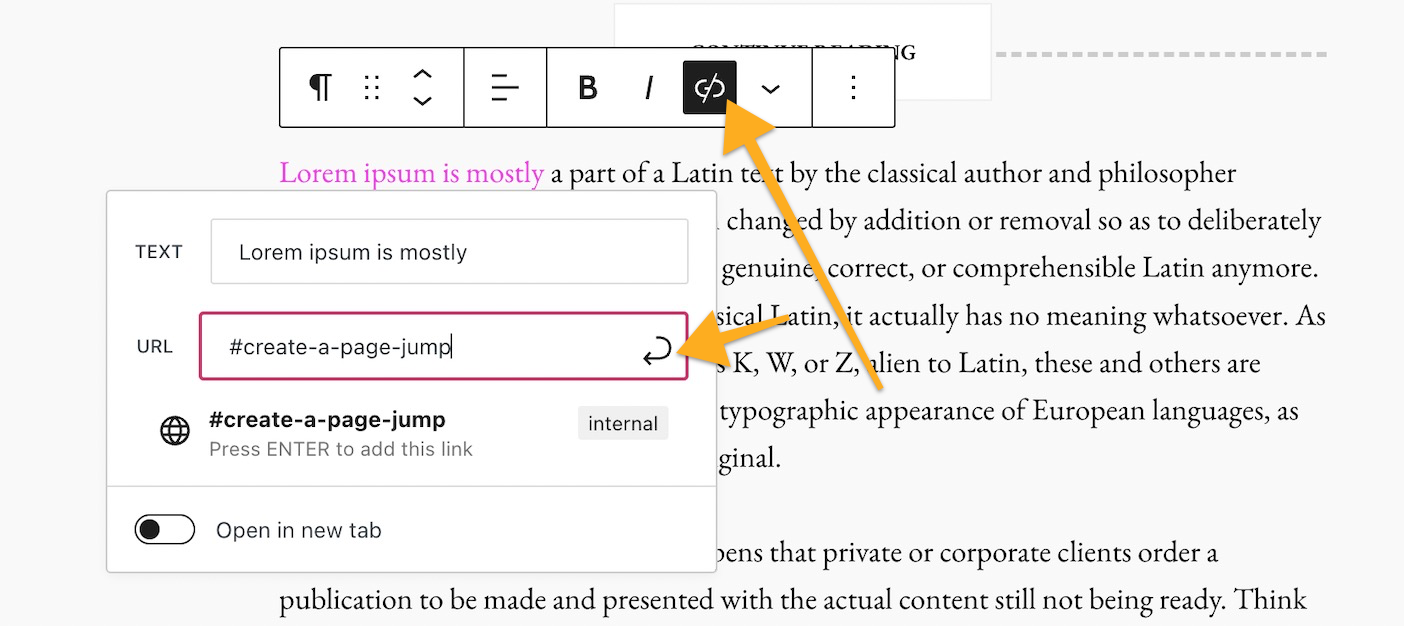
- Type in the HTML Anchor you created in Step 1, starting with the hashtag (#) symbol. For example, if you created an anchor named
create-a-page-jumpyou would type your link as#create-a-page-jump - Click Save/Update/Publish in the upper right corner of the editor to save your changes.
That’s it! You can now test your link on the public page to make sure the link you created in Step 2 leads you to the anchor you created in Step 1. Note that the page jump links will not work when you preview a page or post, so test on the published version.
You can create page jumps from your navigation menu that link to a specific part of a page. This is common for sites that have a long scrolling homepage. Page jumps make it easier for visitors to view the section of the homepage they want.
- The first step is to create an anchor as the spot to jump to.
- In your menu, add a new item that’s a Custom Link.
- In the Text field, write whatever you would like the menu item to be called. This will not affect the page jump.
- In the URL field, write your anchor with a hashtag (#) symbol in front of it as described above.
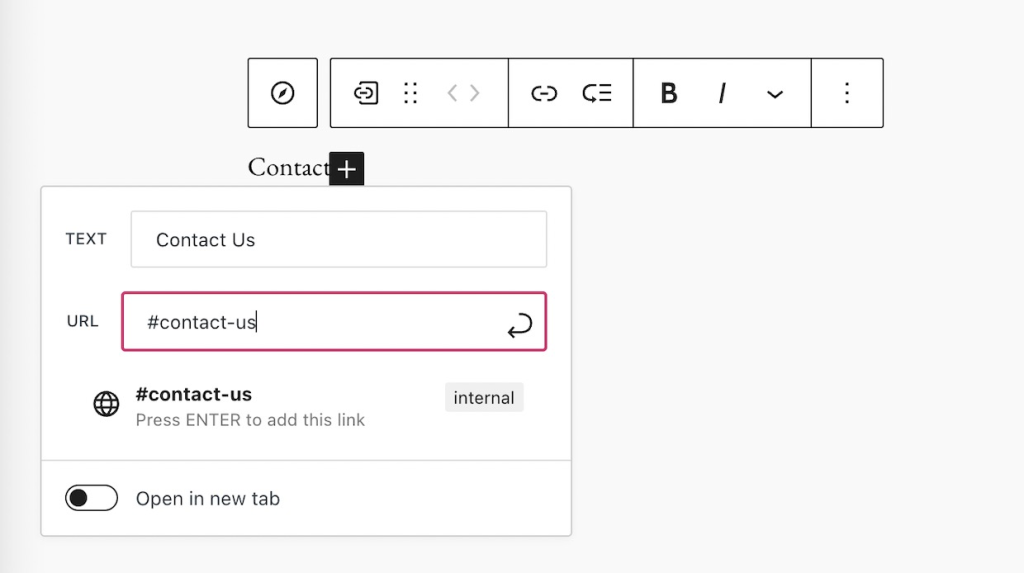
Keep in mind that a page jump like #my-anchor will only work on the same page that the anchor is on. If you wish to jump to a section of a different page, see the next section of this guide.
Page jumps don’t have to be used only for linking to sections within the same page. You can use a page jump to link from one page to a specific area on another page.
The difference is that instead of linking just to the anchor, like how we wrote our link as #create-a-page-jump in step 2 above, we would link to the full page URL plus the anchor.
For example, if your page has the following URL:
https://yourgroovydomain.com/example/
and you create an anchor called unique-identifier on that page, then the full jump link would be:
https://yourgroovydomain.com/example/#unique-identifier
To create a jump link back to the top of the page:
- Add an anchor to a block at the beginning of your page.
- Lower down on your page, type some text like “back to top” or “jump to the beginning”.
- Link that text to your anchor.


