

If you need help with any aspect of WordPress.com, this guide will show you how to find support.
In this guide
You can avail of different levels of support depending on your plan:
| Plan | Public Forums | Live Chat | |
|---|---|---|---|
| Free | ✅ | ||
| Starter (Annual) | ✅ | ✅ | |
| Starter (Monthly) | ✅ | ✅ | |
| Explorer (Annual) | ✅ | ✅ | ✅ (Monday – Friday) |
| Explorer (Monthly) | ✅ | ✅ | |
| Creator & Entrepreneur (Annual) | ✅ | ✅ | ✅ (Monday – Sunday) |
| Creator & Entrepreneur (Monthly) | ✅ | ✅ |
Other services:
- If you need help with the Jetpack plugin, please contact Jetpack support.
- WordPress.com Desktop or Jetpack Mobile app support is available via the Support page on our apps’ website.
- If your comments are being marked as spam, please contact our Akismet team.
- If you are looking for support with the WordPress.com REST API, please refer to the developer documentation.
Before reaching out to support, you might want to check our helpful documentation to see if your question is already answered.
Our support site contains an extensive collection of up-to-date guides covering all aspects of WordPress.com. We have videos, screenshots, and step-by-step walkthroughs to help you learn how to use WordPress.com and resolve any issues you may encounter.
WordPress.com Forums are a great place to get support. Our staff are active members in the forums, and there are a lot of volunteers ready and willing to help as well. Most forum volunteers are veteran WordPress.com users who started out just like you. They’ll surely have some tips and tricks to help with most questions.
Before posting your request, use the forum’s search feature at the top of the screen to locate previous discussions that could solve your problem. Have more questions about the forums? Check out this support guide.
Contact us via email using the steps below, and rest assured that we’ll respond to you as soon as possible.
We answer all emails in the order in which they are received. We try hard to answer all support requests within 24 hours, but sometimes we fall a bit behind. If you have not yet received an answer to your question, please don’t submit a duplicate request, as that will delay our reply to emails.
Our live chat support connects you to a real Happiness Engineer so you can discuss and work through issues with us in real time:
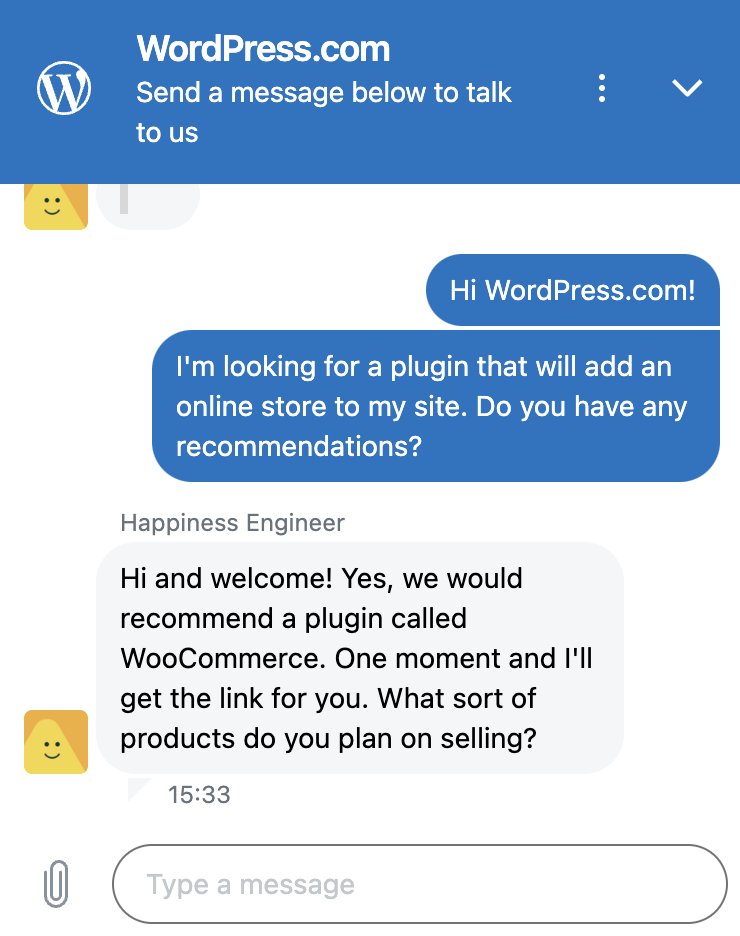
While chatting with us, you can use the paperclip icon to attach screenshots and other files to help communicate your issue or goals.
Remember that we may not be available to chat immediately if all of our operators are busy chatting with other users. In this case, you will see Email instead of Live Chat. You can send your request by email or check again later for live chat availability.
For more information about how to access live chat, see our Live Chat Support guide.
To contact WordPress.com support, take the following steps:
- Visit your website’s dashboard.
- Click the question mark icon to open the Help Center, which you’ll find in the upper right corner of your site’s dashboard and the editor, or in the lower left corner of the Sites page:

- Use the box to search our comprehensive help guides covering all aspects of WordPress.com. It’s possible the answer to your question can be found here!
- To contact us, click “Still need help?” at the bottom of the Help Center:
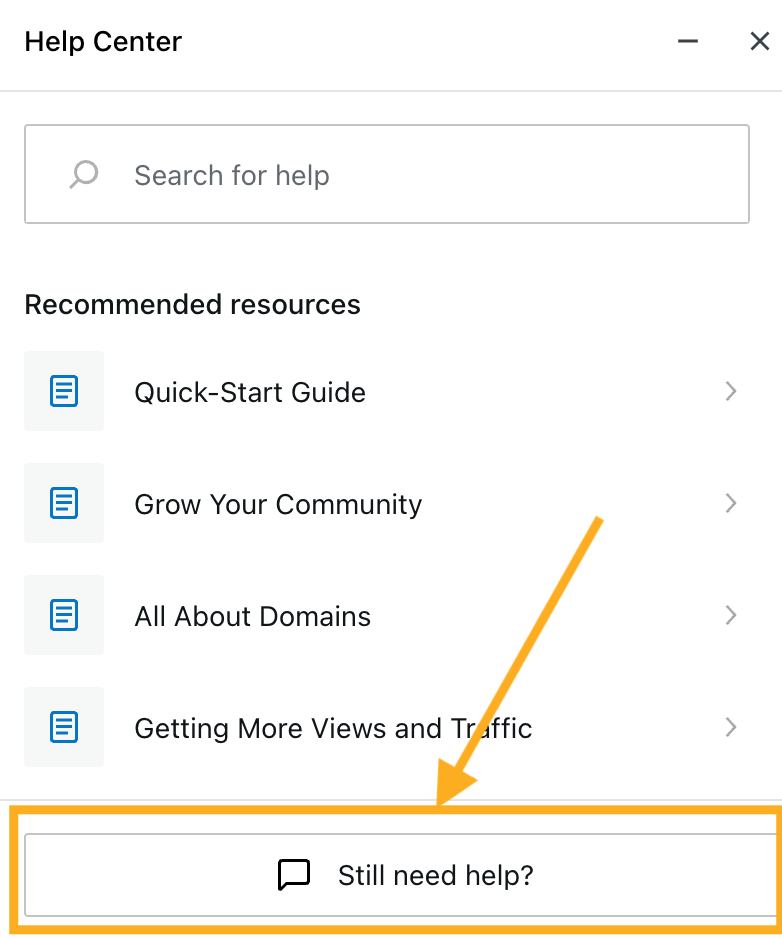
- Here, you’ll see your plan’s eligible support options: public forums, email, and live chat. Select one of the available options.
- Type a detailed description of your question or issue under “How can we help you today?” and click the Continue button. After a few seconds, our system will provide an automated response to attempt to answer your question.
- If the quick response answers your question, click Close. If you’d like to submit your question, click the button to:
- Ask in the forums: Post your question in the public forms, where you may receive a reply from a member of the community or a staff member.
- Email us: Submit your request via email, and we’ll reply as soon as possible.
- Chat with us: Begin your chat session with a live staff member.
You can access support while logged into your account. If you are unable to log into your account, visit our Recover Your Account guide for assistance in getting back into your account.
We are more than happy to answer questions related to WordPress.com and provide advice or suggestions for your site. However, some things fall outside of what we can help with, including but not limited to:
- Help with third-party plugins, themes, and tools not purchased through WordPress.com.
- Logging into non-WordPress.com accounts, such as domain registrars, to make changes or view settings directly.
- Sites running WordPress software but not hosted at WordPress.com.
- Creating or changing the content and design on your site.
- Writing and editing code (including HTML and CSS).
To ensure you can get an answer to your question as quickly and efficiently as possible, please include as much detail as you can in your initial message to us. The more you can provide about exactly what you’re doing and seeing on your end, the better we’ll be able to understand and diagnose your problem.
Please be sure to include the following:
- A detailed description of the problem or question you have, including:
- what went wrong.
- what have you tried so far.
- what you were expecting to happen.
- what you would like to happen.
- Links to the specific pages of your site that are relevant to your request.
- If you’re seeing an error message, share the exact text of what it says.
- A screenshot or short video that illustrates the issue.
We currently offer email support for paid plan users in these languages:
- Spanish
- French
- Portuguese
- Italian
- German
- Dutch
- Swedish
- Japanese
To access support in your preferred language, ensure your interface language is set to one of the languages above.
Live Chat support is available in English only.
We offer free, interactive webinars on topics from getting started to making money through your site. Watch our experts explain the ins and outs of WordPress, followed by a Q&A session where you’ll have an opportunity to ask your questions and get them answered live. Find out more about our webinars.
We do not offer phone support because many issues we discuss require frequent reference to web links and code. That is much easier to do using written forms of communication like live chat and email. WordPress.com will not call you, but we are happy to support you through our numerous other channels.
If you’re running your own copy of WordPress software with a different host, ask your host for help. Or, if you are having trouble with a plugin or theme, you can also contact the developer for support directly. You can also search the WordPress.org documentation or reach out in the forums at WordPress.org for help from the WordPress community.


