

The Blog Stats Widget displays the all-time total number of views to your blog (not including your own views). It’s a nice way of showing off how popular your blog is.
💡
Themes that support the Site Editor do not use widgets, so you won’t see Appearance → Widgets in your dashboard. Instead, you can edit all of your site in one place at Appearance → Editor. Click here to learn how to use the Site Editor.
Here’s an example of how the Blog Stats Widget looks like when it’s activated on a blog sidebar:
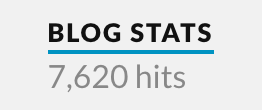
To add the widget to your site:
- In your dashboard, click on Appearance → Widgets.
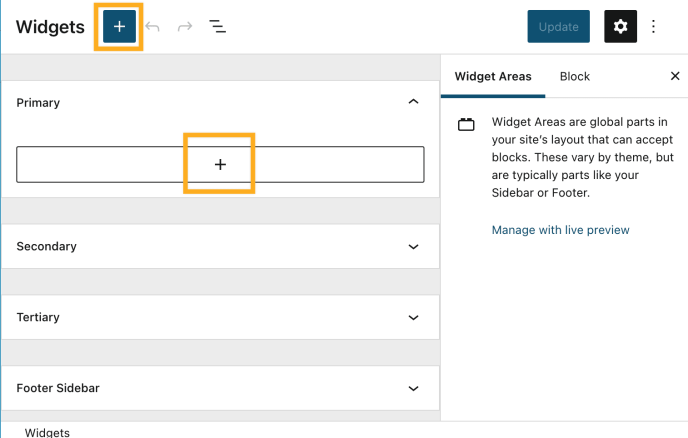
- Choose the location where you’d like to place the widget on your site. Standard options include the Footer and Sidebar, but this may differ depending on your theme.
- Click either of the + block inserter buttons (see right) to see a list of all the available blocks and widgets.
- Scroll down to the Widgets section and click on the widget once to add it to your site.
For more general information, see this guide on working with widgets.
Once you add the widget to your sidebar from Appearance → Widgets, you’ll see that the widget settings look like this:

- Title: Set the title to use above the blog stats count. (i.e. Stats, Traffic Love)
- 12,345: Set the word(s) to use along with the number. “hits” and “views” are popular choices, but feel free to get creative and make up your own


