

You can make a copy of a post or page that includes the same title, contents, and settings. This guide explains options for duplicating a page or post on your site.
To use the features described in this guide, you will need one of the following:
- A website hosted on WordPress.com.
- A self-hosted WordPress site with the free Jetpack plugin activated.
To copy a post or page, take the following steps.
Select the appropriate tab for your admin interface style:
- Visit your site’s dashboard.
- Click on Posts or Pages on the left side.
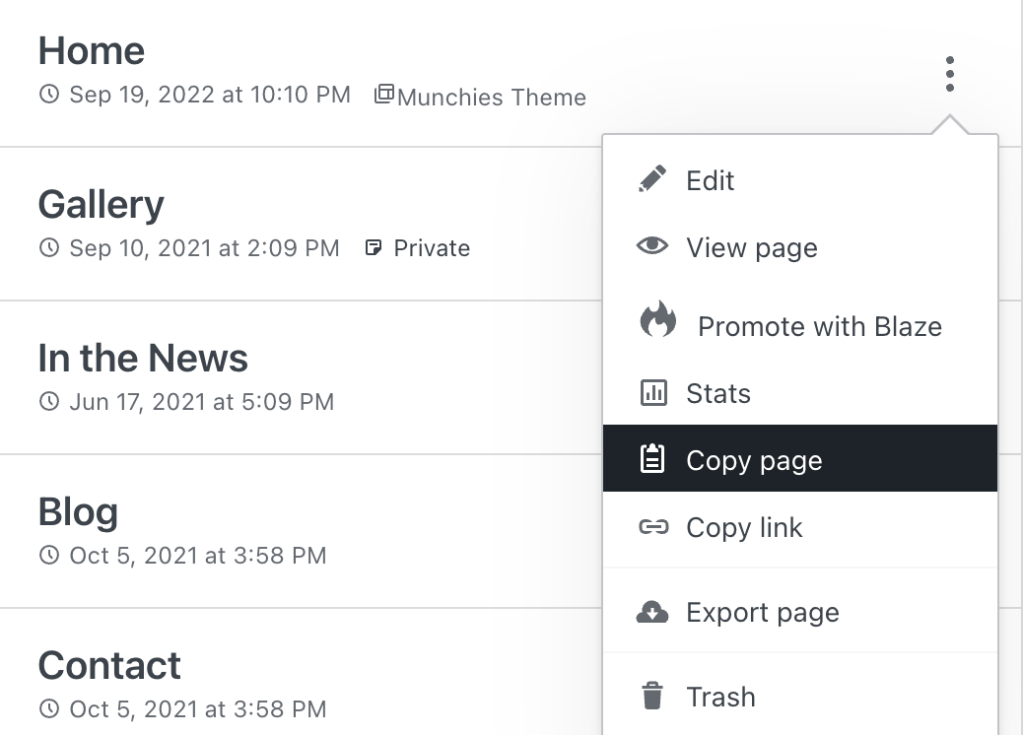
- Click the ellipses menu (the three vertical dots) to the right of the post or page you want to copy.
- Select the “Copy page” or “Copy post” option.
- The WordPress Editor will open immediately, creating a new post with the duplicated content.
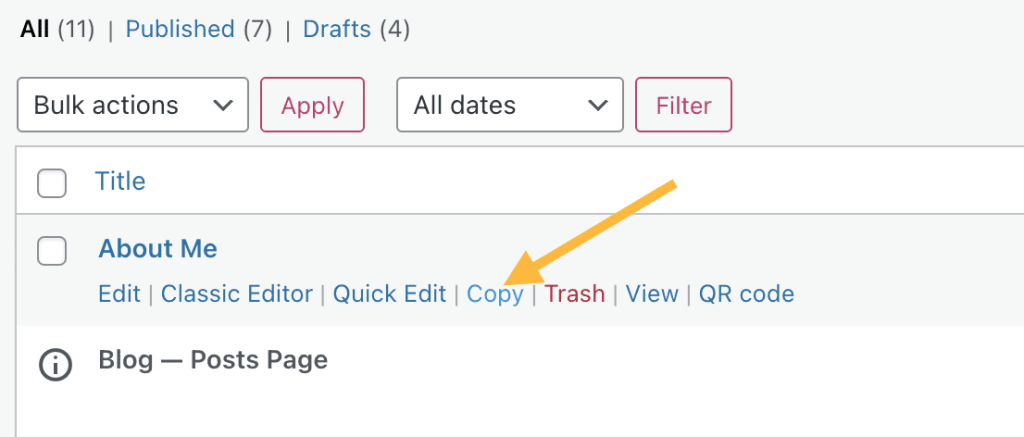
If you have a plugin-enabled site, first make sure the Jetpack plugin is active and go to Jetpack → Settings → Writing and activate the “Enable the option to copy entire posts and pages, including tags and settings” option:


With this option enabled, you can now copy a post by following the same instructions above.
This feature may not be available if your site uses a page builder plugin, but that plugin may provide its own option to copy pages and posts.
If the options described above are not available to you, you can copy the entire contents of a post or page to your clipboard, and paste them into a new post or page following these steps:
- Visit your site’s dashboard.
- Go to Posts or Pages.
- Click on a post or page to open it in the editor.
- Click the ellipses (three dots) menu in the top-right corner of the editor.
- Click the “Copy all blocks” option. This copies all the blocks to your device’s clipboard.
- Create a new post or page.
- Paste the blocks you copied from step 5 by right-clicking and choosing Paste or using ctrl + v (PC) or cmd + v (Mac).



